
AI workflow automation that runs your busywork

AI workflow automation connects the apps you already use to AI so repetitive work runs itself: reading emails, moving data between systems, drafting replies, and updating your CRM. AI Applied designs and builds these workflows for Australian businesses using tools like n8n, Make, and Claude, with a human in the loop where it matters.

Book a call
Book a call
Settings icon for AI workflow automation

AI Workflow Automation

We design and build AI workflows that handle repetitive back-office work, moving data between your apps, triaging emails, and updating records, so your team stops doing it by hand. Built and supported by AI Applied in Perth.

Built on n8n & Make
Human in the loop
Built and maintained for your business. Contact for pricing.
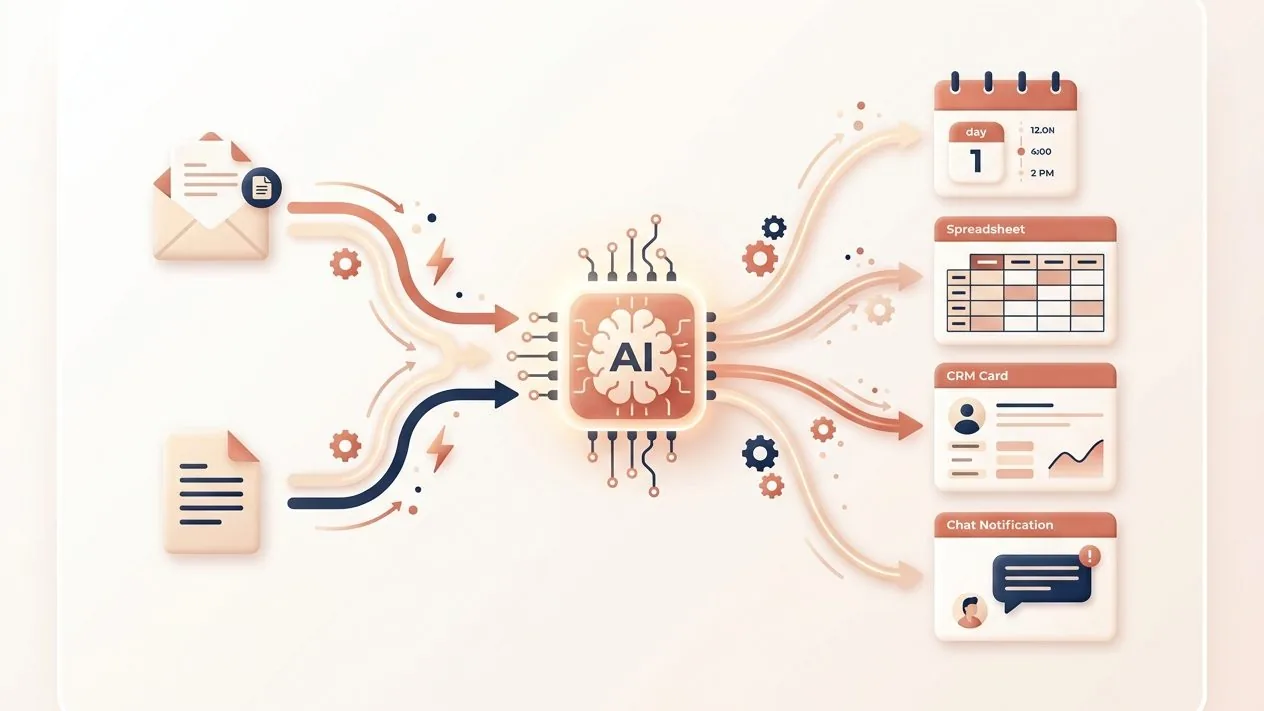
AI workflow automation flow: emails and documents flowing through an AI node into a calendar, spreadsheet, CRM, and chat

Why businesses automate with AI

Every team has work that is repetitive but not simple: reading, sorting, copying between systems, chasing updates. AI workflow automation takes that off their plate so they can focus on the work that needs a person.

Clock icon for hours saved each week
TIME BACK

Hours back every week

The repetitive jobs that eat your week, data entry, email sorting, copy-paste between apps, run on their own. Teams typically claw back hours each week once the busywork is automated.
Check icon for consistent results
FEWER ERRORS

Consistent, every time

A workflow does the same steps the same way on every run. No skipped fields, no forgotten follow-ups, and no version of the process that only one person knows how to do.
Lightbulb icon for AI reading and deciding
REAL JUDGEMENT

AI that reads and decides

Unlike basic rule-based automations, these workflows use models like Claude to read unstructured text, make a call on what to do, and hand anything uncertain back to a person.

Frequently asked questions

What is AI workflow automation?

AI workflow automation connects the software you already use to an AI model so a multi-step process runs on its own. Unlike basic rule-based automation, it can read unstructured text like emails or PDFs, decide what to do, and pass anything uncertain to a person. A typical workflow has a trigger, a few steps, an AI decision, and an action.

What can you automate for my business?

Common ones are email and enquiry triage, moving data between apps, extracting details from PDFs and forms, updating your CRM, generating first-draft documents and reports, and following up leads. We start with whatever is costing your team the most repetitive hours.

Which tools do you build with?

We build mostly in n8n and Make, connected to AI models like Claude, plus the apps you already run such as Gmail, Google Sheets, your CRM, and accounting software. We pick the tool that fits your stack rather than locking you into one platform.

Will AI automation replace my staff?

No. The goal is to take repetitive, low-judgement work off your team so they spend time on what needs a person. Workflows hand anything uncertain or sensitive back to a human, and most clients redeploy the time saved rather than cut roles.

How long until a workflow is live?

Most first workflows are live within one to two weeks, depending on how many apps they touch and how much sign-off is involved. We prove one process works before expanding to others.

What happens if something changes or breaks?

We monitor your workflows and maintain them as your tools and processes change. Because each one is built to be visible and traceable rather than a black box, we can see exactly where a run stopped and fix it.

How we build your AI workflows

We start with the one or two processes costing you the most time, prove they work, then expand. Most first workflows are live within a couple of weeks.

Search icon for mapping the process

Step 1: Map the process

We map a real process end to end: what triggers it, the decisions involved, the apps it touches, and where it currently breaks or stalls. That becomes the blueprint for the build.

Settings icon for building and connecting the workflow

Step 2: Build and connect

We build the workflow in tools like n8n or Make, connect it to your apps, and wire in an AI model for the steps that need reading or judgement. Sensitive steps get a human approval gate.

Check icon for launch and maintenance

Step 3: Test, launch, and maintain

We test against real data, launch it quietly alongside your current process, then monitor and tune it. We maintain the workflow so it keeps working as your tools change.

Book a free 30 min call

Book a free initial chat to get an idea where AI can fit into your business right now.

Pick a time to chat
About
Save Hours
Grow Customers
Get AI Ready
Book a call